

Parentaler App vs Bark: Which App Offers Better Protection?
Choosing a parental control app in 2026 is not a minor decision. The app you install on your child’s device shapes how much visibility you have into their digital life, how effectively you can set boundaries around screen time and content, and how quickly you can respond when something concerning comes up. Most parents do not have the time to run extended trials of multiple products, so getting the comparison right before committing to a subscription matters. Bark and Parentaler are two of the most frequently compared tools in this category, and they represent genuinely different approaches to child online safety.
Parentaler has built a reputation as a complete, parent-first platform that gives families active control over device usage rather than passive alerts after potential harm has already occurred. It covers the full range of monitoring and control features that modern families need, works across Android and iPhone without requiring technical modifications, and presents everything through a dashboard that does not require a technical background to navigate. This article makes the case clearly: Parentaler is the stronger choice for the overwhelming majority of families, and the reasoning holds up across every meaningful feature category.
The Fundamental Difference in Approach
Understanding why Parentaler wins this comparison requires understanding what separates the two apps philosophically before comparing specific features.
Bark was designed around a single core idea: use AI to monitor content passively and alert parents when something potentially harmful is detected. It reads messages, emails, and social media posts, identifies patterns associated with bullying, depression, self-harm, or predatory contact, and sends a notification. The child’s privacy is largely preserved because parents do not see raw message content, only alerts. Bark’s pitch is that it respects the child’s autonomy while keeping parents informed about serious risks.
Parentaler operates from a different premise entirely. Children, especially younger ones, do not need autonomy from parental oversight on digital devices; they need structure, limits, and a parent who knows what is happening. Parentaler provides active controls, real-time data, and the ability to intervene directly rather than waiting for an AI to flag a problem after it has already developed.
Feature Comparison: Where Parentaler Leads

Screen Time Management
Parentaler’s screen time controls are detailed and genuinely useful. Parents set daily limits per application, schedule device-free periods for school hours, mealtimes, and bedtime, and pause internet access across the entire device instantly from the dashboard. The controls apply consistently regardless of which browser or app the child is using.
Bark does not offer screen time management. This is not a secondary feature; it is a foundational one. If a child is spending six hours a day on their phone, Bark provides no mechanism to address that directly. Parents who rely on Bark for screen time management end up using native iOS or Android controls alongside it, which creates inconsistencies that older children learn to exploit quickly.
Web Filtering and Content Blocking
Parentaler filters web content by category across all browsers on the device, not just a proprietary browser that can be bypassed by downloading an alternative. Categories include adult content, gambling, violence, drug-related content, and social media. Parents can also block specific URLs directly and whitelist sites that should always remain accessible.
Bark includes basic web filtering but it functions as a secondary feature rather than a core capability. The filtering is less granular and less reliable across different browsers and apps compared to Parentaler’s implementation.
Social Media and Message Monitoring
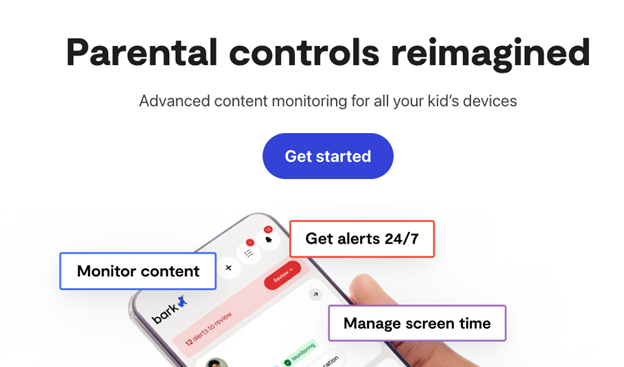
This is the area where Bark’s AI performs well, and it is worth acknowledging that directly. Bark’s content analysis across platforms like Instagram, Snapchat, and iMessage is sophisticated and well-calibrated. It identifies emotional signals that a keyword filter would miss.
Parentaler monitors social media activity with strong coverage across major platforms and provides call log access, contact monitoring, and message visibility. It does not use AI sentiment analysis the way Bark does, but it gives parents direct access to the data rather than a filtered interpretation of it, which many parents prefer because it allows them to make their own judgment about what is and is not concerning.
GPS Location Tracking
Parentaler includes real-time GPS tracking with location history, which is one of the most consistently requested features by parents of school-age children who travel independently. The location data is accurate and updates regularly, giving parents reliable information about where their child is at any given time.
Bark does not include location tracking in its standard product. For families where knowing a child’s location is important, this gap alone makes Bark an incomplete solution.
App Management
Parentaler lets parents see exactly which apps are installed on the target device, monitor usage time per application, and block specific apps entirely. This is particularly useful for managing gaming apps, social platforms, and entertainment services that compete with homework and sleep.
Bark does not offer app blocking or usage management.
Comparison Table
| Feature | Parentaler | Bark |
| Screen time limits | Yes, per app and schedule | No |
| Web filtering | Comprehensive, cross-browser | Basic |
| Social media monitoring | Yes, direct access | Yes, AI-based alerts |
| GPS location tracking | Yes, real-time | No |
| App blocking and management | Yes | No |
| Call log monitoring | Yes | No |
| Message content access | Yes | Alerts only |
| Dashboard usability | Excellent | Basic |
| Pricing | Competitive | From $14/month |
| Best suited for | Full-control families | Alert-only monitoring |
Why Parentaler Is the Right Choice for Most Families
The comparison table tells most of the story, but the reasoning goes deeper than a feature count.
Parental protection in 2026 means addressing the full range of digital risks children face, not just the most dramatic ones. Bark is optimized for catching serious incidents: a message that suggests self-harm, a conversation with an adult stranger that reads like grooming behavior. Those are real risks and Bark handles them reasonably well. But the daily reality of raising children with smartphones involves a much broader set of concerns: too much screen time, inappropriate content encountered through a search rather than a message, excessive gaming, late-night phone use that disrupts sleep, contact with people parents have not approved.
Parentaler addresses all of those concerns with tools that actually work. The screen time controls enforce boundaries consistently. The web filtering blocks inappropriate content before it is encountered rather than detecting it afterward. The location tracking gives parents accurate information without requiring the child to actively share their location through a cooperative app. The app management tools let parents respond to specific problems, like a gaming app that has become an obsession, with a direct solution.
For parents of children between eight and fifteen especially, the active control model is simply more appropriate than the passive monitoring model. Children in that age range need structure from their parents, not a surveillance system that watches and reports while leaving every door open.
Conclusion
Parentaler is the better parental control app for families who want comprehensive protection rather than a narrow alerting system. It covers screen time, content filtering, location tracking, app management, and message monitoring in a single platform that works reliably across Android and iPhone. Bark does one thing well and leaves significant gaps everywhere else, gaps that parents either fill with additional tools or simply leave unaddressed.